
Common Issues
Kuyo doesn't reply to any of my messages
Check these in order:
- Kuyo is in the server and online. Check Kuyo's status page and Discord's status page.
- Make sure Kuyo has the right permissions, both in role and channel settings.
- The channel, role or user is not ignored with /block. Check
/block menu. Blocked users do not get a reply, so slash commands may look like they failed. - The command you're trying to run is not disabled, restricted or on cooldown. You can see this in
/settings menu.
If Kuyo is still unresponsive, feel free to join the Support Server and ask for help.
Kuyo can't moderate someone or give out a role
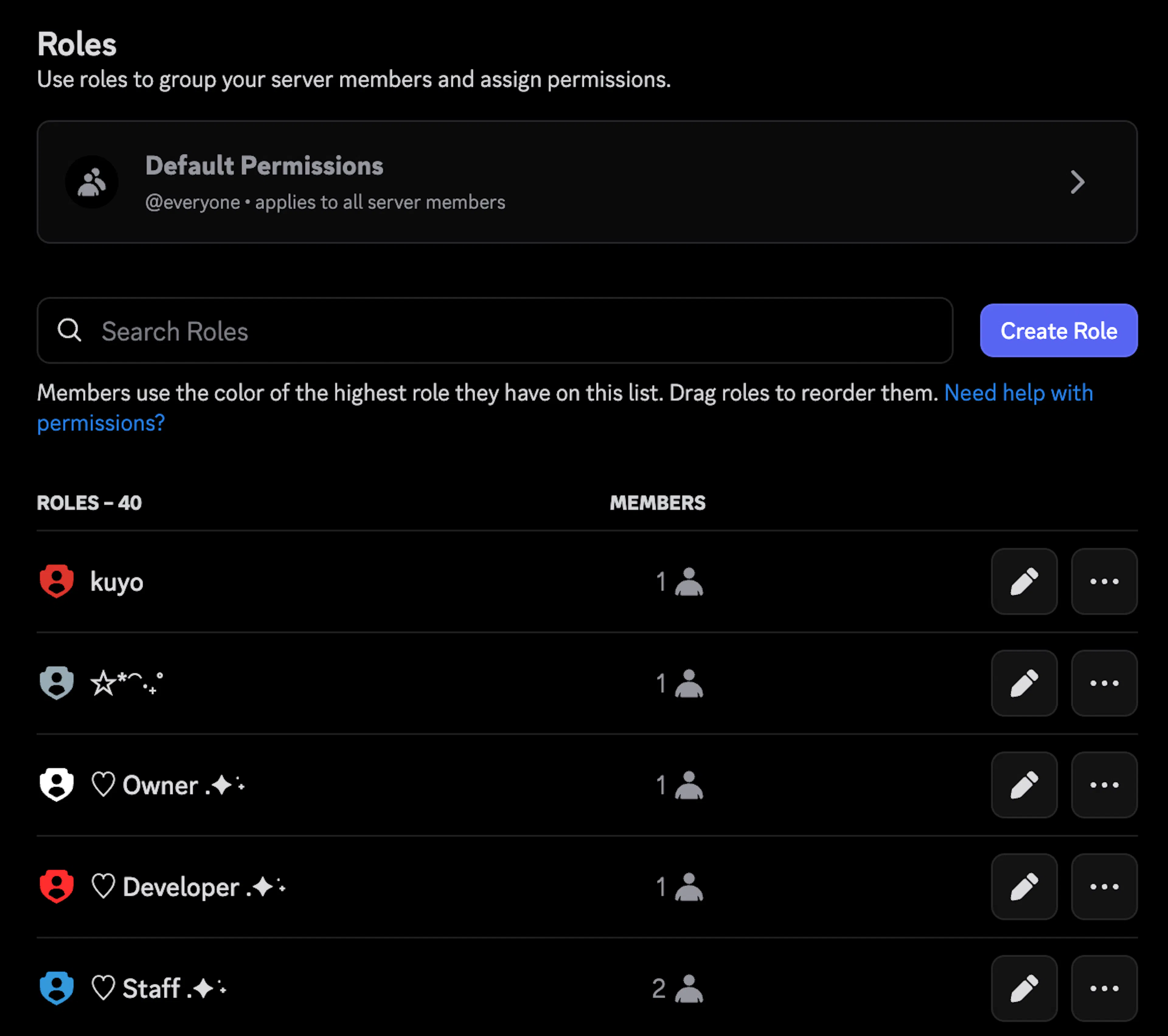
Make sure Kuyo's role is at the top of the role list. Kuyo cannot moderate anyone above it.
A slash command is not showing up
Go into your server settings, Integrations and select Kuyo. This will show Kuyo's top level commands, meaning grouped commands like /template menu are controlled with /template.
Select the command and make sure there are no overrides that only make it work in a channel or that locks it to a user or role. At the top of the list, you can control every single command, make sure this is set to @everyone and All Channels.
An emoji does not show up in my template
Make sure you copied the markdown, not the :emojiname:. You can get the markdown by sending the emoji, right clicking on that message and clicking Copy Text. Markdown looks like this <:kuyo_green:1549917293449056308>. If you did this and it's still not displaying make sure that Kuyo has Use External Emojis enabled and that Kuyo in the server the emoji is from.
A mute or quarantine role is not working
- Make sure you have a role set, go to
/settings menu, select Moderation, Punishments and select the punishment, then Role Actions. For quarantine, go to/settings menu, Moderation, Quarantine and click Edit. - Make sure your channel and role permissions are set correctly.
Role Permissions: Mute role must have permissions cleared. Any role they have can have Send Messages.
Channel Permissions: Any role they have must have Send Messages set to neutral. Muted must have Send Messages denied.
For Reaction Mute it would be Add Reactions, and so on.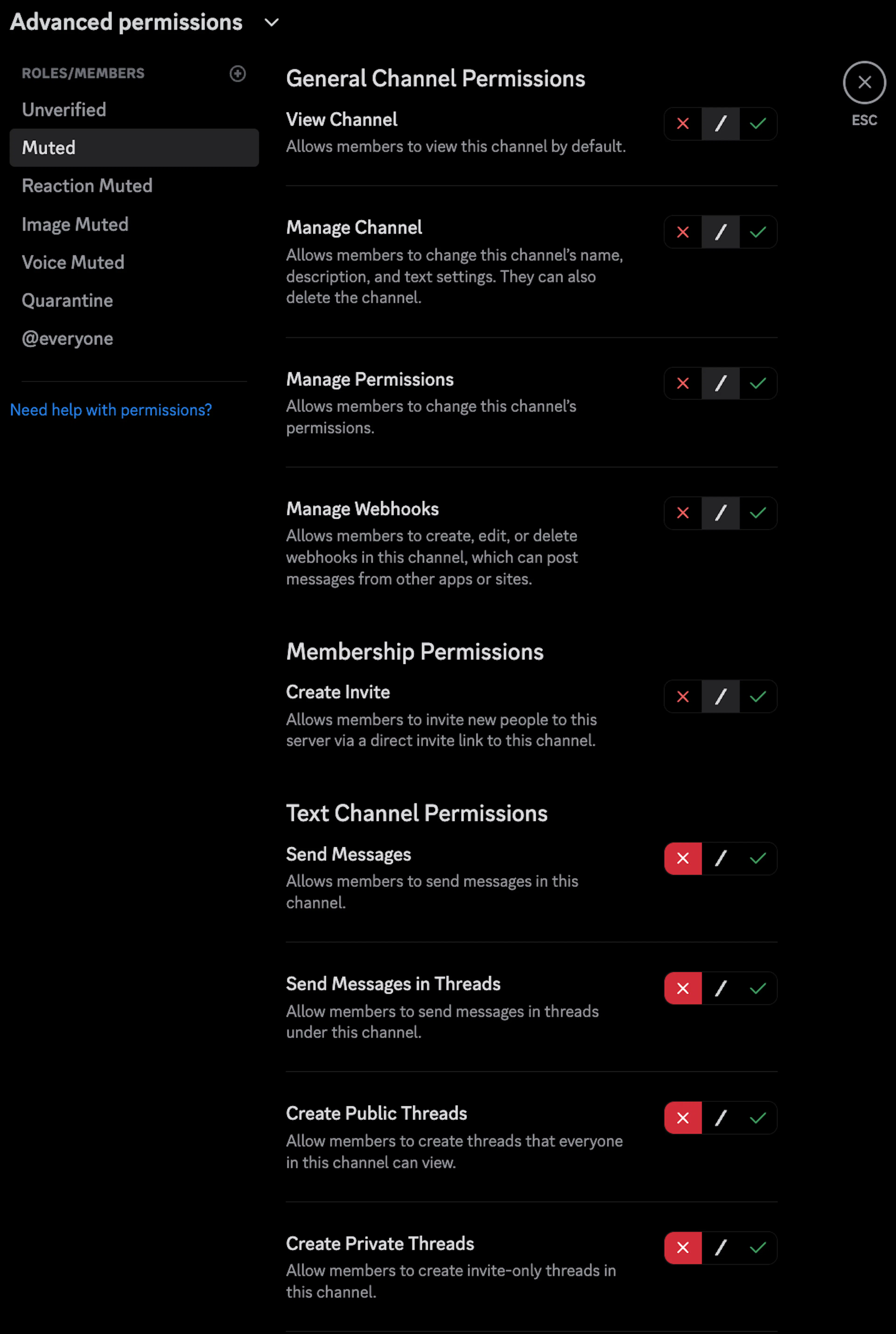
You can rerun the /setup mute and /setup quarantine commands, even if you already have before. It will change the permissions in channels that don't have it set already and might fix your issue.