
Levels
Reward users for their activity
To setup the level system, open the /level settings.
Level Curves
To select a level curve, go to XP > Curve. Here you can select from 5 presets. If you're coming from a MEE6 it is recommended to select their curve, if you are unsure what curves do you can leave this set to the default. For a visual guide, click on the preview button.
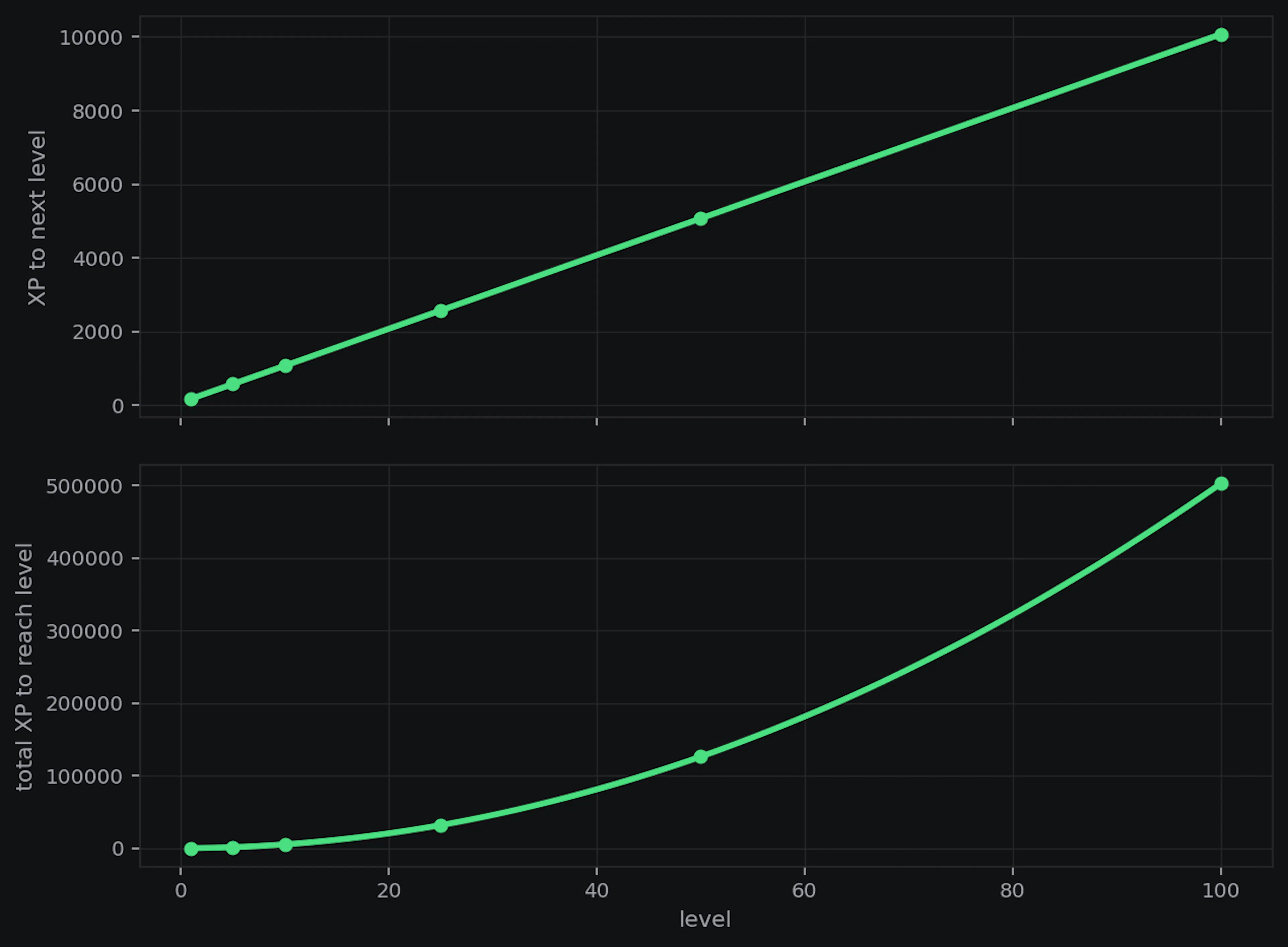
You can't customize your own curve, however you can customize the curve multiplier (higher = levels take more XP), the XP rate (setting it to 2 would double the XP you're getting) and the max level.
Sources & Gates
Sources is where you decide how members earn XP.
Messages turns chat XP on or off. Under Mode, pick whether people get XP randomly (a random amount between min and max) or per word (XP based on how many words they typed). Values sets the cooldown (how long before that person can earn from chat again) and the min message length so tiny messages like “ok” don’t count.
Voice enables voice XP and does the same idea for time in voice channels. Values sets how much XP they get each tick, how often those ticks happen, and the minimum members in a call. Under Anti Farm, you can turn on Muted / Deafenedand Anti AFK so muted people don’t earn and long solo voice sessions stop giving XP.
Under Gates you can choose which channel types people can earn XP in, and set ignored roles, channels, and users.
Boosters
Here you can add booster roles/channels and enable or disable the /level vote Top.GG boost. Keeping it enabled is a great way to support Kuyo, you can also adjust the multiplier so it's less than the default 2x.
To add a booster, click Add, select one or more roles/channels and set the multiplier. An example use case would be adding the server booster role and giving it a 1.5x level boost. That would give everyone with the server booster role a 1.5 XP boost.
Enabling stacking would mean that if you someone voted for Kuyo on Top.GG and they have a booster role, they would get a 3.5x XP boost (using the examples above). Without stacking enabled, it would only use the highest XP boost (in this case the 2x Top.GG boost, as long as it's active).
Messages
You can fully customize the level message and the destination.
| Destination | Explanation |
|---|---|
| None | Level up messages do not send |
| Fixed Channel | A set channel |
| Same Channel | The channel the message was sent in that triggered the level up |
| DM | DMs the user if they have DMs enabled |
There are three buttons that each change a different message. Level Message changes the /level rank card. Default Message is what gets sent when someone levels up. Per Level Message lets you replace that default for specific levels, and change where it sends. For example, you can skip a level entirely, or use a different message when someone hits level 5.
All of these use templates, for help with templates visit this link or ask in the Support Server.
Level Rewards
Here you can set role rewards. Each level can have up to 5 roles, and you can create up to 25 level reward entries.
With stacking enabled, members keep every reward role they unlock. With stacking disabled, reaching a new reward level removes the previous reward roles and adds the new ones.
Events
Level events let you run a temporary XP multiplier for the entire server.
Use /level event with a rate and a duration (for example 2 and 2h for double XP for two hours). While the event is active, that rete replaces your normal server XP rate. When the time is up, it ends on it's own, or you can cancel it early with /level event cancel.
By default, boosters stack with the event. So a 2x role booster during a 2x event means 4x XP. Set stacking: false when you start the event if you don’t want boosters on top.

Migrating from other bots
If you're moving from another leveling bot, you can import XP with /level import csv or /level import mee6.
Importing levels from MEE6 pulls from it's leaderboard, so make sure that it is set to public.
If you're using CSV file, it needs a user_id column and an xp column for total XP. id / User ID and XP / total_xp also work. Example:
user_id,xp
866817228598149140, 15000
CSV Limits: 150k rows (150 thousand members). Max file size is 5mb.
MEE6 Limits: 150k members