
Invite Tracker
Track which invite someone used to join
You can setup Invite Tracker in the /invites menu, by clicking Log and picking a channel. Tracking only runs while a log channel is set and only if Kuyo has Manage Server permissions.
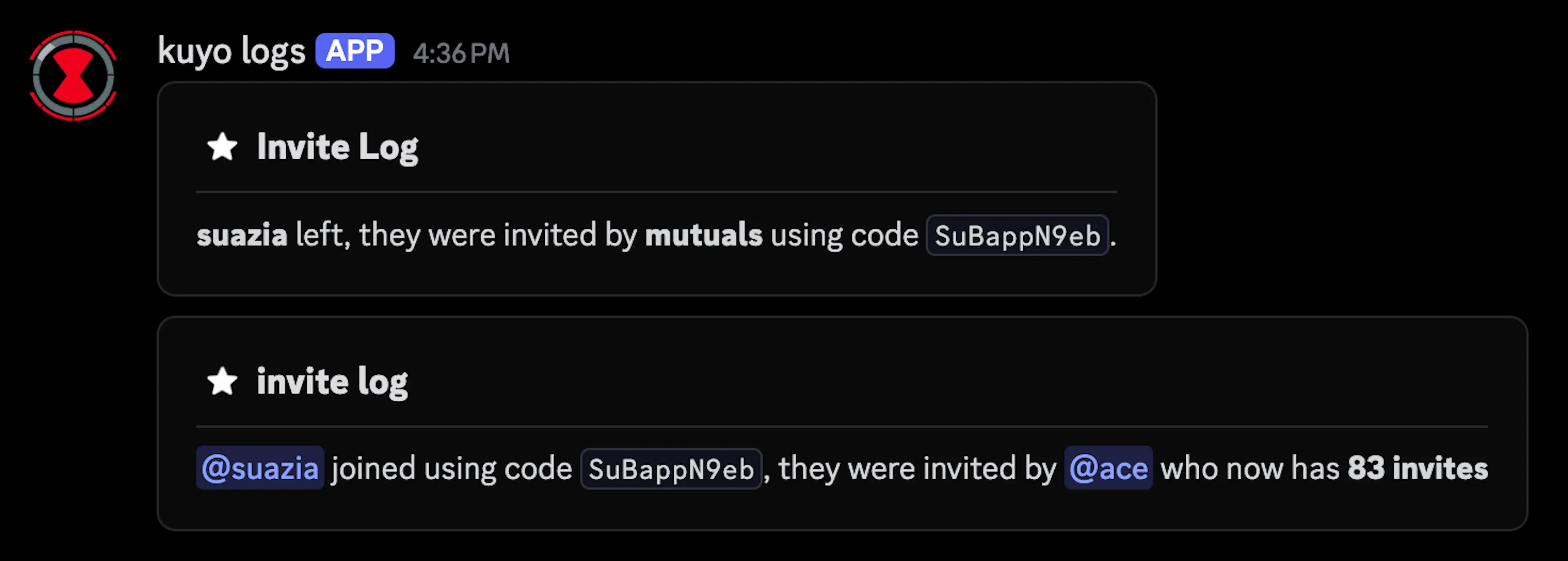
Discord does not tell bots which invite was used. Kuyo keeps a list of your server's invites and their use counts, when someone joins it checks which count went up. If it can't tell (nothing changed, more than one invite went up, or it hasn't cached your invites yet), it logs the join as unknown.
Settings
Click Settings to change how counts work.
By default, people who leave and come back still count (Count Rejoins), bots are skipped (Ignore Bots), and people who already left still count toward the score (Count Leaves).
If someone leaves within 10 minutes of joining, that join is marked as fake and removed from counts.
Messages
Under Settings, click Messagesto customize the join and leave log texts.
Other settings
You can see a member's invites on the Invites tab in /userinfo, or with /invites stats.
If the Invite Tracker log channel is the same as your /log menu Member Join or Leave channel, Kuyo merges them into one message. Invite Create and Invite Delete logs are under /log menu Invites. Click here to learn more about logging.