
Honeypot
Setup a trap channel for compromised accounts
Honeypot channels work because compromised accounts are made to spam in every channel.
You can setup a channel by going to the /honeypot menu and clicking on Setup.
Here you can ask Kuyo to create a channel for you, or you can select an existing one (or two).
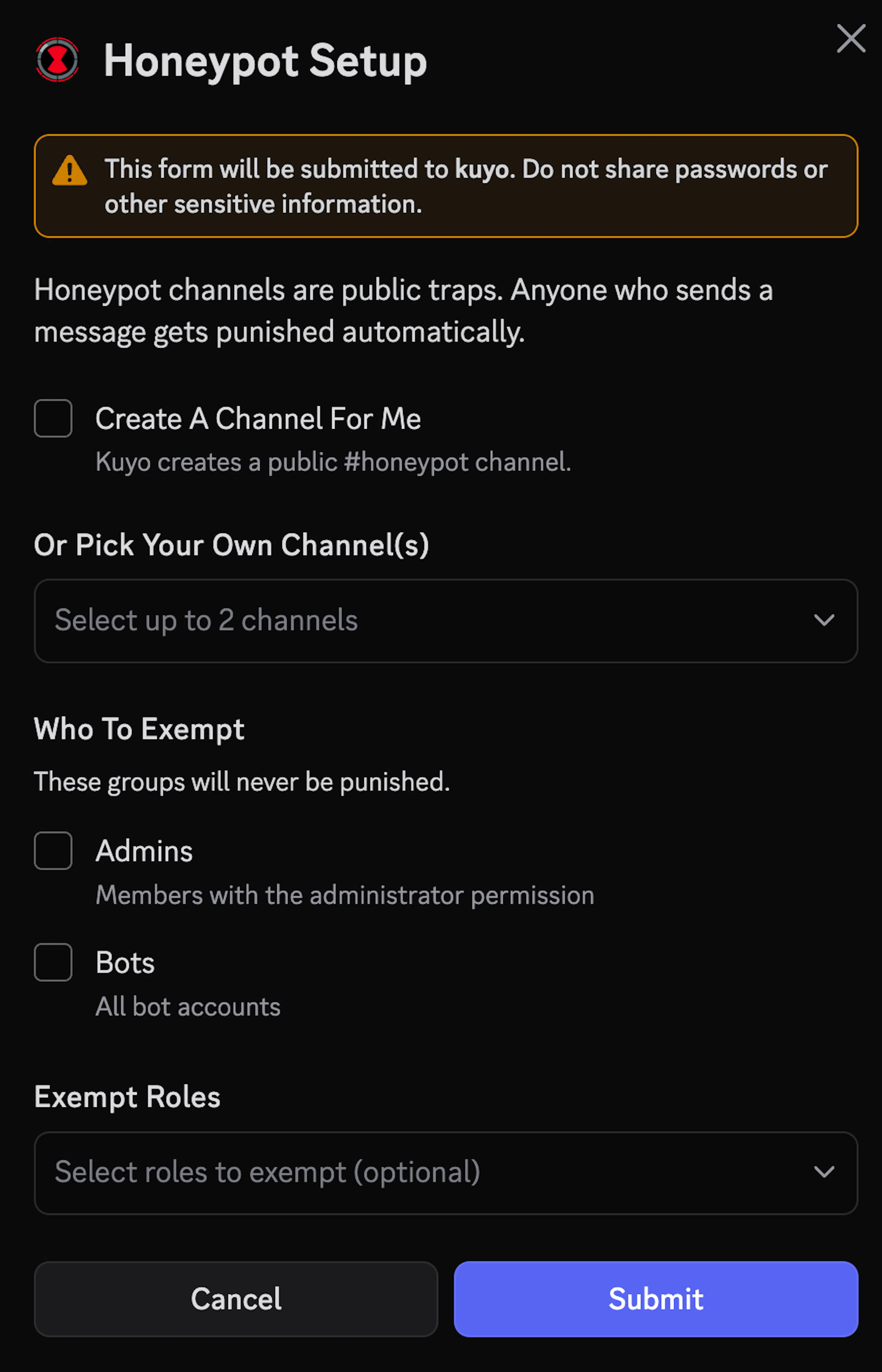
You can select exempt roles, or check Admins/Bots. Exempt roles can freely send messages in the honeypot channel without getting punished.
Make sure @everyone has Send Message permissions and Attach Files permissions set to green in the channel settings.
Once setup, you can customize settings. The default punishment is Softban, but you select Ban, Kick, Timeout and Report to Mods. You can combine any punishment with Report to Mods, but you can only select one main punishment.
Recommended Setup
Make sure @everyone has Send Message permissions and Attach Files permissions set to green in the channel settings. Compromised accounts often send images. If you have an invite or link filter (or other Automod settings) setup through another bot or Discord, Kuyo might not see the message in time.
It is recommended to mask the channels name. You can select Channel Name from the dropdown and enable Auto Name or Channel Counter. Auto Name will rename the channel to something random once a day, Channel Counter will show the member count in the channel.
Customization
You can customize messages, including the DM they get when they get punished, the Mod Report, Trap Message and the Channel Pulse. Available variables are shown as a text display in the modal.