
Adaptive Slowmode
Change slowmode based on how many people are talking
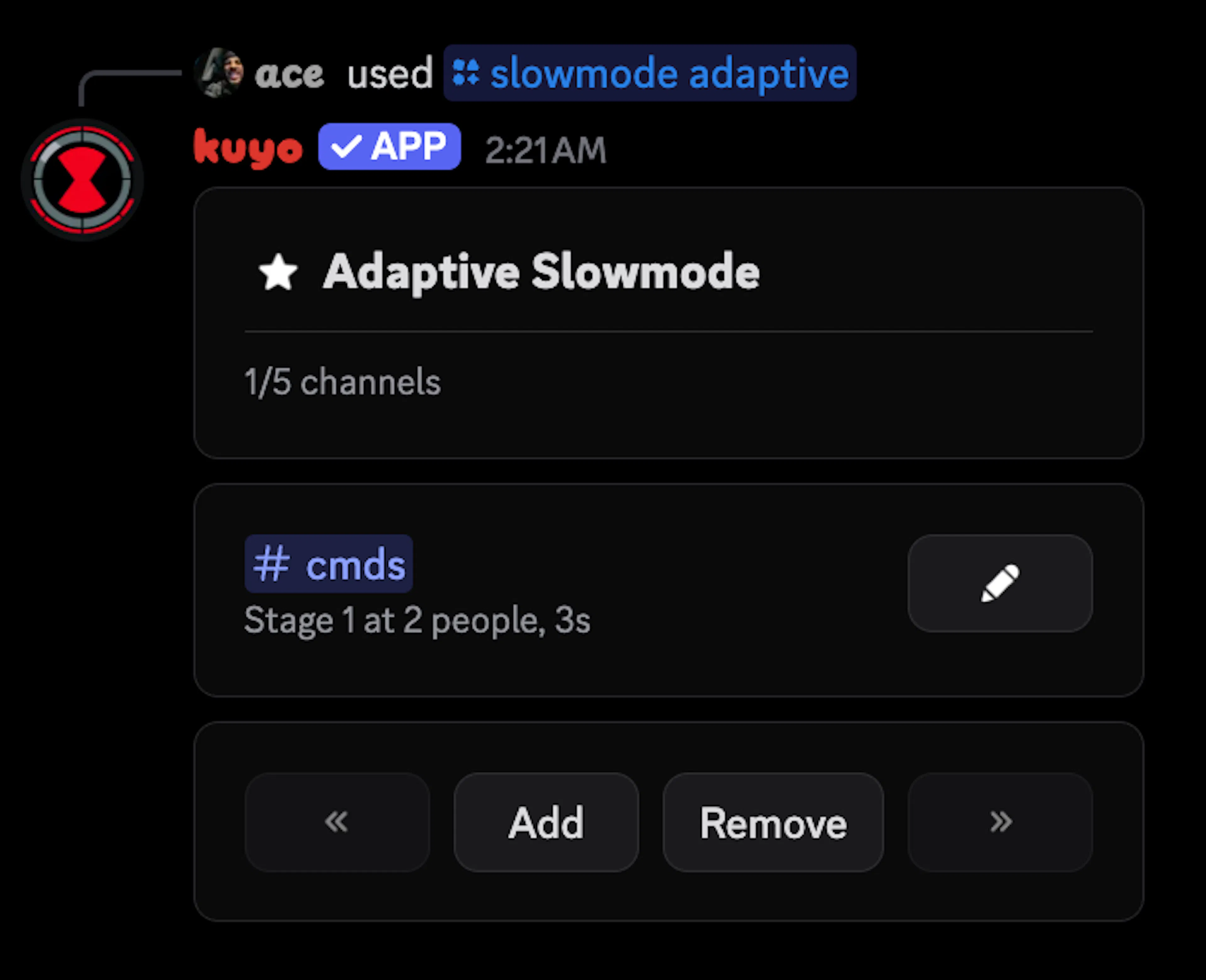
You can set up adaptive slowmode in the /slowmode adaptive menu, by clicking Add and picking up to 5 channels. Kuyo needs Manage Channels permissions.
Kuyo counts how many different people are talking in a channel. When a lot of people talk at once, slowmode goes up. When chat calms down, it goes back down.
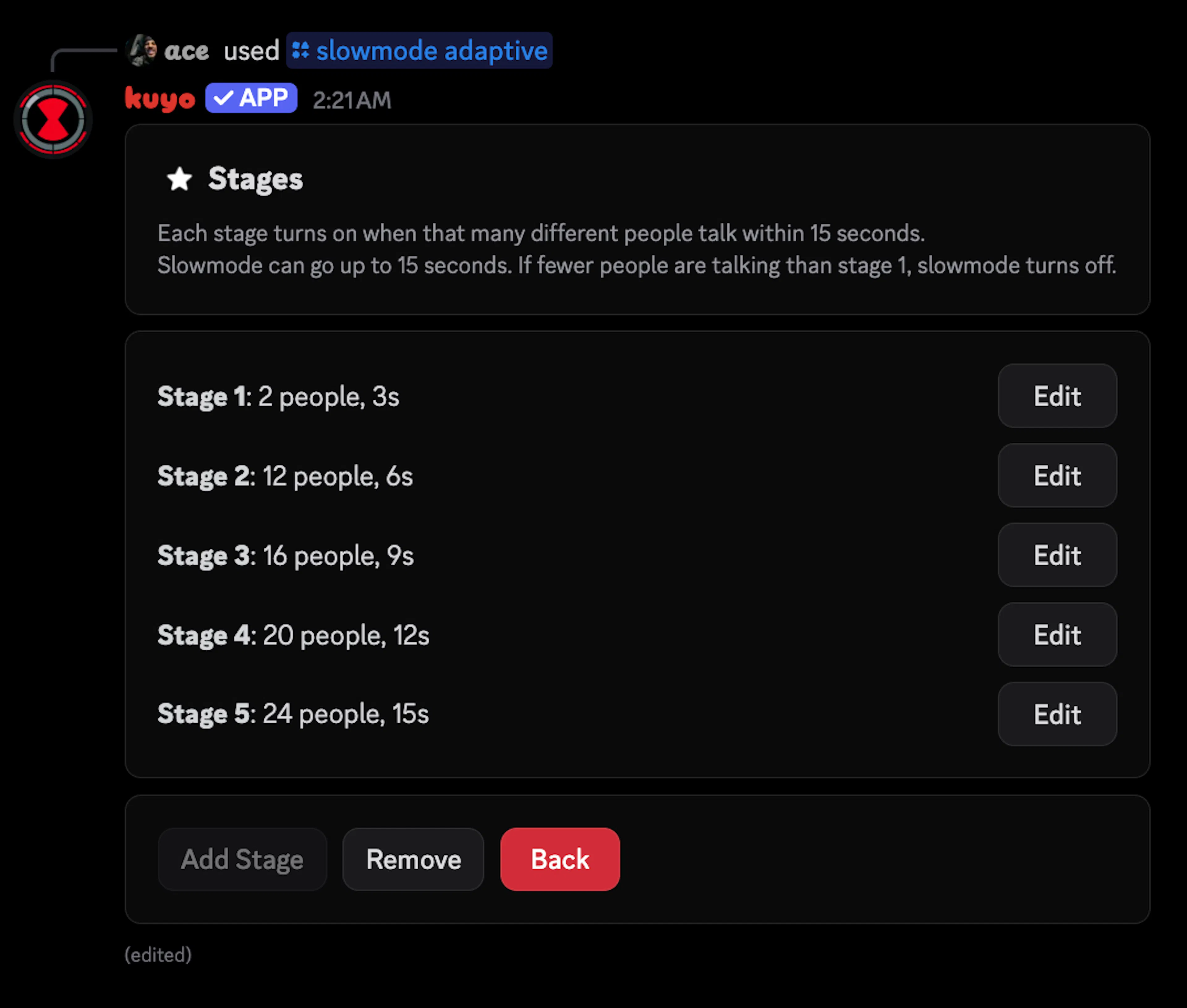
Stages
Each stage is a number of people and the slowmode they get. By default, slowmode turns on at 8 people with 3 seconds and goes up by 3 seconds for every 4 more people, up to 15 seconds at 24 people. You can change the stages or add your own, up to 5.
Timing
People Window: How far back Kuyo looks to count people. Default is 15 seconds.
Drop Wait: How long chat has to stay calmer before slowmode goes down. Default is 45 seconds.
Quiet Slowmode: The slowmode when chat is calm. Default is 0, so slowmode is off.
Notice
Kuyo can send a short message in the channel when the slowmode changes. It's off by default. You can turn it on with plain text or a template.
Changing it by hand
If someone changes a channel's slowmode by hand, Kuyo stops changing it. Click Resume on the channel to let Kuyo take over again. To pause it for a while, use /slowmode snooze.