
Reports
Let members report users and messages to your staff
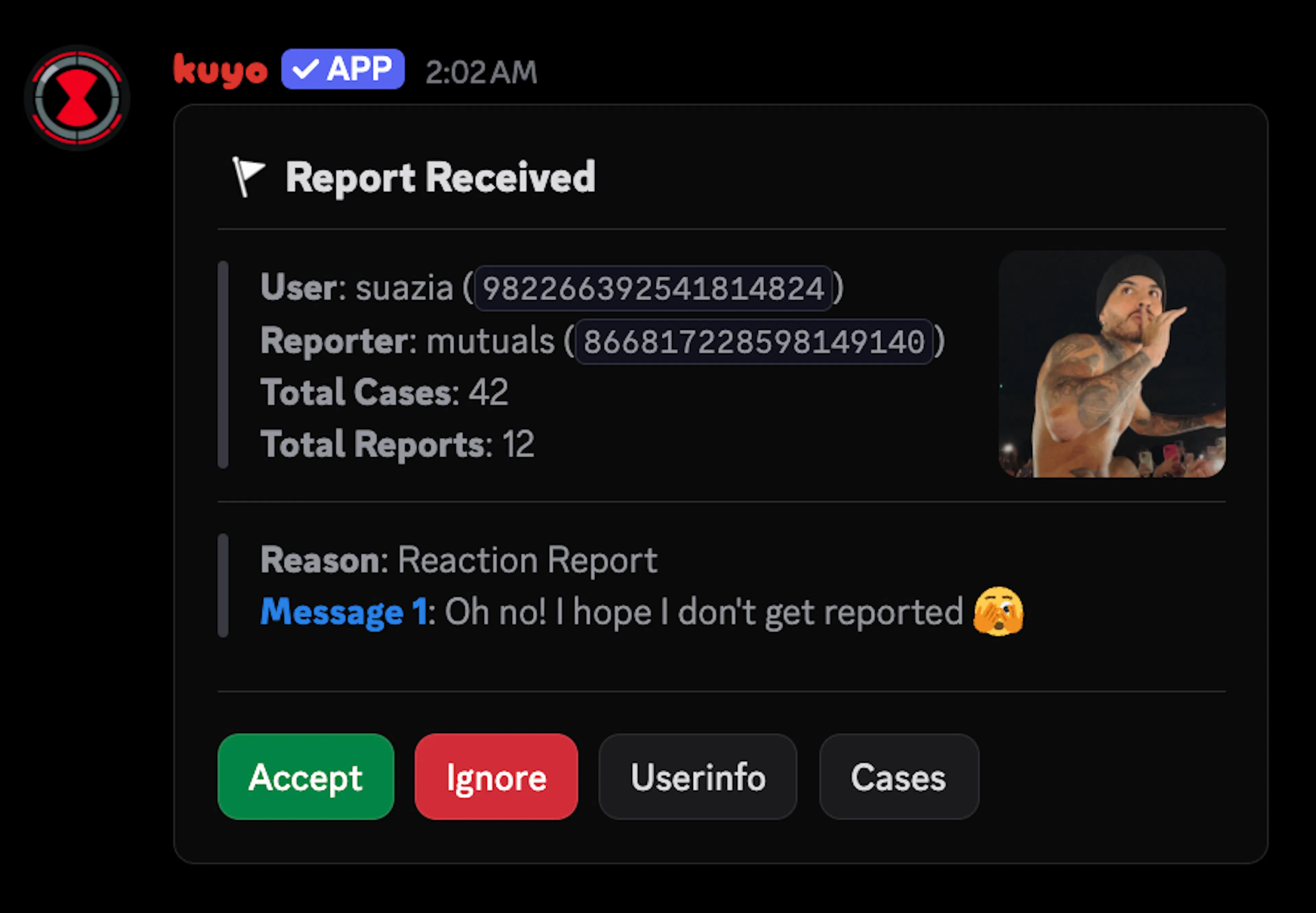
You can set up reports in the /report menu. Turn reports on and pick a Report Channel under Settings > Channels. Every report is posted there, and staff with Manage Messages can handle it.
Members can report someone with /report user, or by right clicking a user or message and going to Apps > Report User or Report Message. If someone gets reported again, the new report is added to the one that's already open.
Reaction Reports
You can also let members report messages by reacting with 🚩. Turn on React to Report Message in Settings > General. Kuyo removes the reaction right away, so nobody can see who reported.
Handling reports
Click Accept to pick a punishment, or Ignore to close the report. After you click Accept, the report is yours for 10 minutes so two staff members don't act on it at once. The reported message is saved as proof on the case.
Undo opens a finished report again and takes back the punishment.
To close every open report at once, use /report closeall.
Settings
Ping Roles: Get pinged when a new report comes in, {ping.roles}.
Immune Roles: Members with these roles can't be reported.
Blocked Reporter Roles: Members with these roles can't file reports.
Account Age To Report: Stops new accounts from filing reports.
By default, a member can file one report every 30 seconds and up to 20 a day. You can change this under Limits.
Automation
Nudge: If nobody handled a report after a set time, Kuyo pings your Ping Roles once.
Expire: Closes reports that are still open after a set time.
Rules: Punish automatically. For example, mute someone when 3 different people report them, or after 3 of their reports got accepted.
Rules can also punish the person who reports. Use Reports Sent, Ignored with a mute to stop people who keep filing fake reports.
In Customize you can change every message, including the DMs the reporter and the reported member get.