
Automod
Catch spam, bad content and raids with your own rules
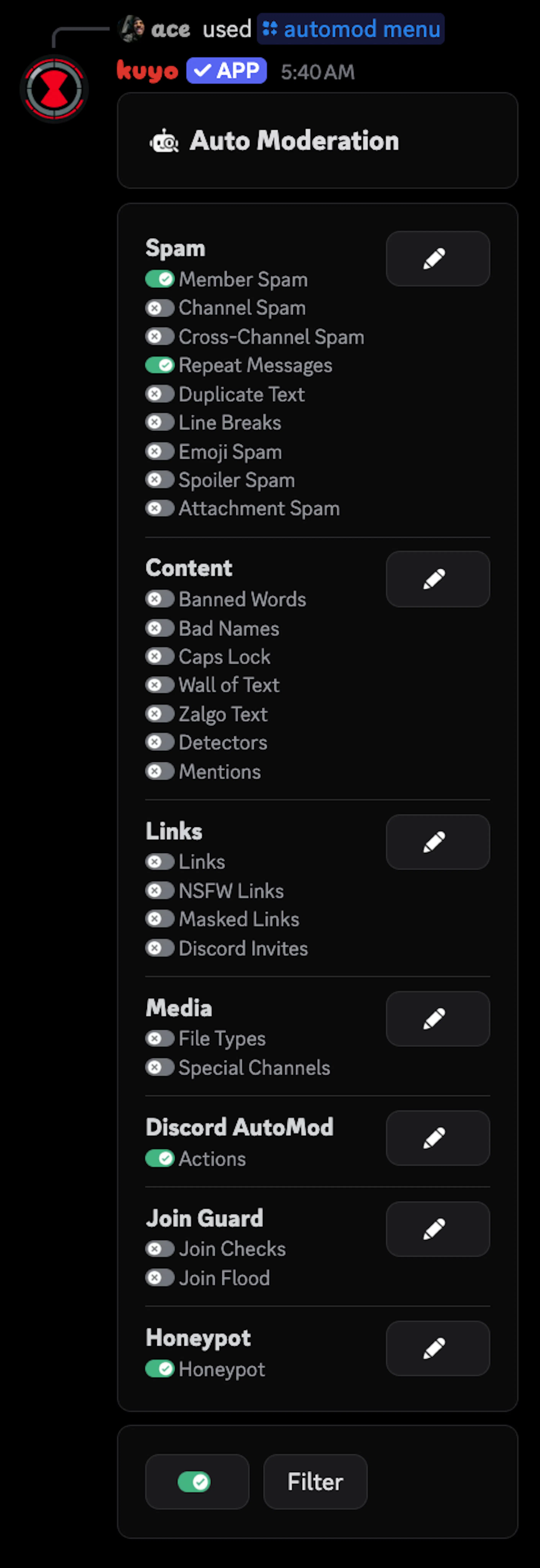
You can set up Automod in the /automod menu. Automod is split into modules, like Member Spam or Banned Words. Each module watches for one thing, and you decide what Kuyo does when it catches something. Each category has its own page: Spam, Content, Links, Media, Discord AutoMod and Join Guard.
Automod is in early access, so for now only servers with a subscription can use it.
Open a module
Open a category in the /automod menu and open the module you want, like Member Spam.
Add a rule
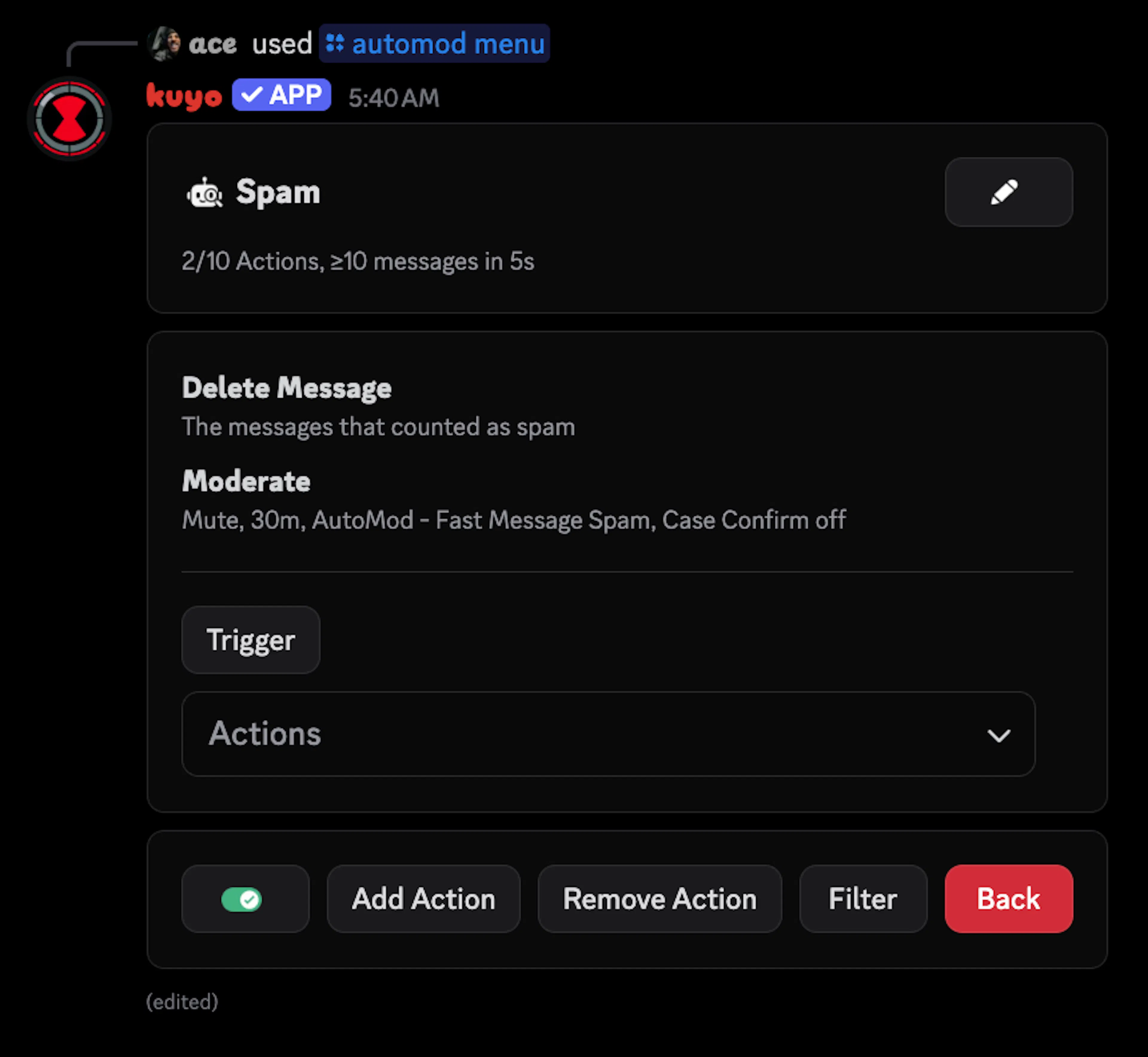
Click Add Rule and set the Trigger, for example 5 messages in 5 seconds. What you can set here depends on the module.
Add actions
Click Add Action and pick what Kuyo should do, like delete the message and time them out. Then turn the rule on with its toggle.
More than one rule
A module can have more than one rule, so you can react differently at different levels. When more than one rule in the same module matches, only the strictest one runs.
| Check | Strictest rule |
|---|---|
| Over time, like Member Spam, Join Flood or Discord AutoMod | The faster rate wins, so 10 messages in 5s beats 5 in 5s. |
| In one message, like Line Breaks, Caps Lock or Wall of Text | The higher limit wins, so 90% caps beats 70% caps. |
| Mentions or Attachment Spam rules with different modes | The harsher punishment wins. |
If two rules are just as strict, the harsher punishment wins. From light to harsh: warn, reaction/image/voice mute, mute or timeout, quarantine, kick, softban, ban and hardban.
| Rule | Trigger | Actions |
|---|---|---|
| Rule 1 | 5 messages in 5s | Delete Message |
| Rule 2 | 10 messages in 5s | Delete Message, Moderate (1h timeout) |
At 7 messages only Rule 1 runs. At 10 only Rule 2 runs, so give Rule 2 its own Delete Message if you still want the messages gone.
This only works for modules with a number to compare: the spam modules, Caps Lock, Wall of Text, Zalgo Text, Mentions, Join Flood and Discord AutoMod. Every other module, like Banned Words, Links, File Types or Join Checks, runs every rule that matches.
For these modules, once a rule trips it won't punish or log that person again until its time window is over, or for 15 seconds if it checks one message. Channel Spam counts this per channel. New messages still get deleted if the rule has Delete Message, and a stricter rule can still trip in that time.
Actions
| Action | What it does |
|---|---|
| Delete Message | Deletes only that message, their recent messages in that channel (max 100), or all the spam. |
| Send Message | Sends text or a template in the channel, another channel or their DMs. It can reply, wait and delete itself. |
| Moderate | Gives a punishment like a warn, timeout or ban, with a reason, duration and notes. It opens a normal case. |
| Report | Sends it to your report channel so staff can decide. |
| Edit Roles | Adds, removes, toggles or sets roles. |
| Add Reaction | Reacts to the message. |
| Lock Channel(s) | Locks every channel, picked channels or the channels the rule hit. Leave How long empty to keep them locked. |
| Fix Name | Cleans up or replaces their nickname. |
| Pause Invites | Stops people from creating invites for a while. 1h by default. |
| Pause DMs | Stops member DMs in the server for a while. 1h by default. |
Not every module has every action:
- The spam (in Delete Message) is only on Member Spam, Channel Spam, Cross-Channel Spam, Repeat Messages and Attachment Spam.
- Fix Name is only on Bad Names and Join Checks.
- Pause Invites and Pause DMs are only on Join Flood and Join Checks. They last up to 24h.
- Join Flood, Join Checks and Bad Names can't delete or react, since there's no message.
- Lock Channel(s) is only on Join Flood, Join Checks, Member Spam, Channel Spam, Cross-Channel Spam, Repeat Messages, Attachment Spam, Banned Words, Detectors, Mentions, Links, NSFW Links, Special Channels and Discord AutoMod.
Send Message can wait up to 15 minutes before sending and delete itself after up to 15 minutes.
Filters
Every rule has its own Filter, and the Filter on the main menu applies to every rule. Someone has to pass both, so if the main filter ignores your staff role, no rule can catch staff.
Use Ignore to skip your staff roles or a channel where spam is fine, or Allow to only run a rule in certain places. Each list holds up to 20 roles, channels, categories or members.
New member only limits a rule to new people. Set a Time in server, an Account age or both, like 3d or 2w (max 1 year). With both set, someone has to be new on both to be caught. If you turn it on and leave both empty, it still catches everyone.
Put your staff roles in Ignore on the main menu filter once, so you don't have to add them to every rule.
Modules that check what's in a message also check edited and forwarded messages by default. You can turn both off in a rule's Trigger. The spam modules always count forwarded messages.