
Verification
Make new members pass a check before they can see your server
You can set up Verification in the /verify menu.
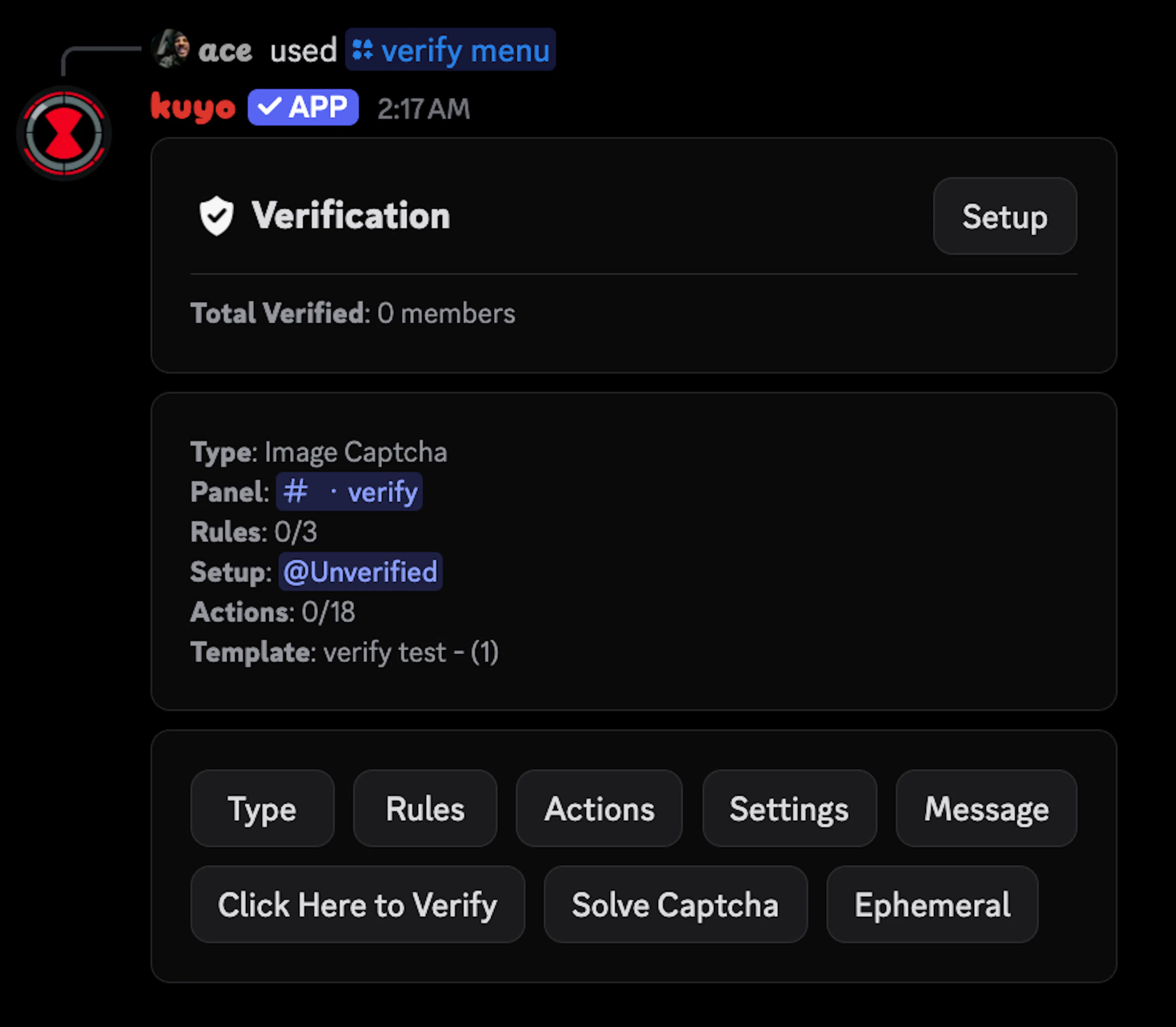
Set the channel and role
Click Setup and pick a Verify Channel and an Unverified Role, or turn on Create Verify Channel and Create Unverified Role to let Kuyo make them. A role Kuyo creates is hidden from every other channel. If you use your own role, you have to edit the channel permissions yourself.
Pick a type
Click Type and pick how members verify. The types are explained below.
Give new members the role
Add the Unverified Role to Auto Role. Kuyo doesn't give it out by itself. It gets removed once they pass.
Send the panel
Use /verify send #channel to post the verify button. If Kuyo created the verify channel, it already posted the panel there.
If new members get other roles on join, they can still see the channels those roles allow.
Ways to verify
Under Type you can pick how members verify:
Simple Button: One click.
Type Code: They type a code from your list.
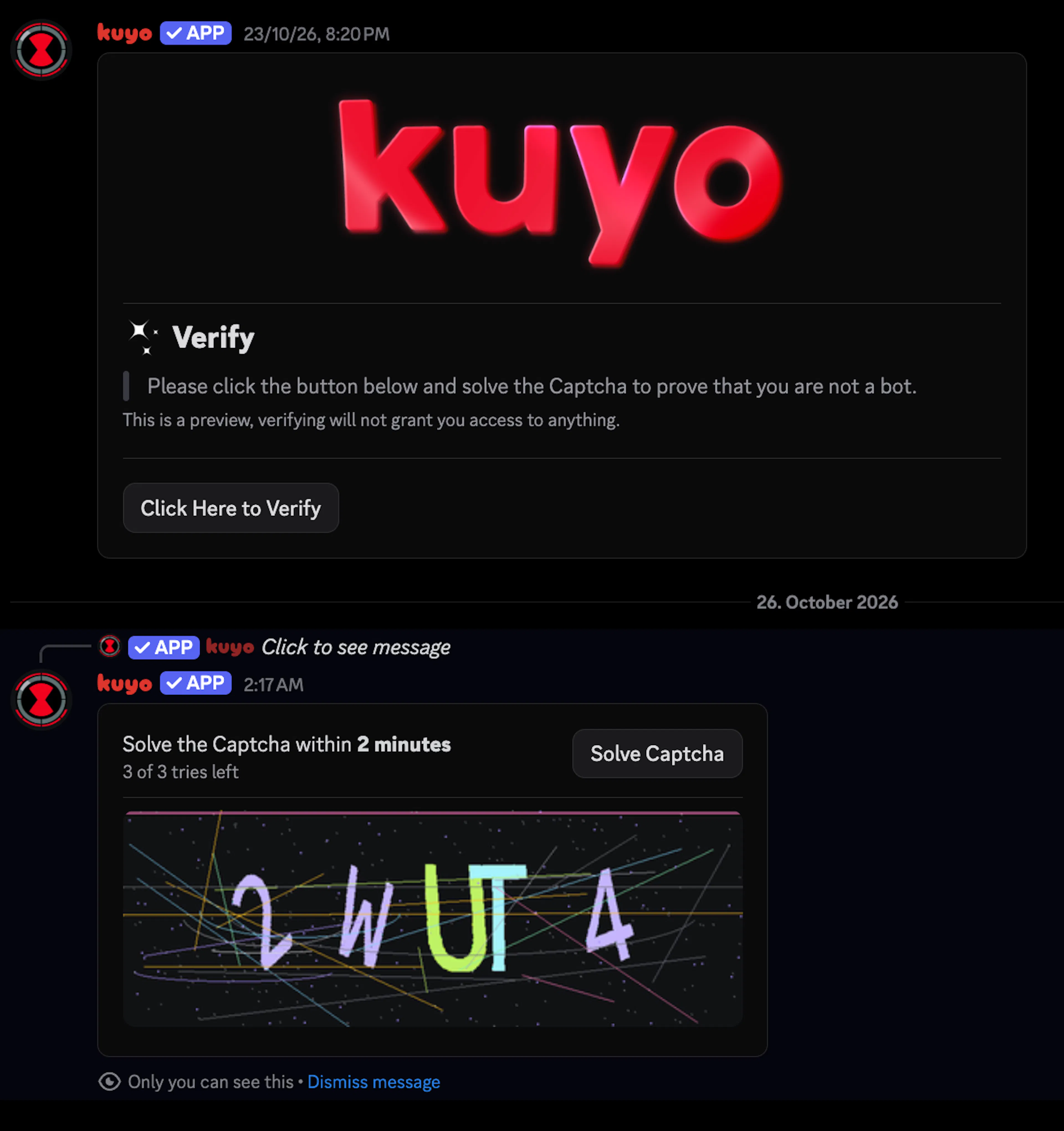
Image Captcha: They type the text from an image.
Simple Math: They answer a small math question.
Staff Approve: Staff accept or deny them from a review channel.
They have 2 minutes and 3 tries by default. You can change this in Settings, from 15 seconds to 15 minutes and from 1 to 10 tries. Running out of time or tries counts as a fail. If you have no On Fail action, they can just click the button again and retry.
For Staff Approve, click Channel and set a Review Channel and a Review Role. When someone clicks verify, Kuyo posts their request in the review channel and tells them staff are looking at it. Staff click Accept or Deny, and Kuyo DMs them the result. You can change the pending message, the review post and both DMs with the buttons next to Channel.
If you set a Review Role, only members with that role can accept or deny, even admins. Without one, anyone with Manage Server can.
Actions
Actions run at 3 points. You can add up to 3 actions to each.
| When | Runs when |
|---|---|
| On Start | They click verify and start the challenge. |
| On Pass | They pass, or skip with an Exempt rule that has Also Run on Pass on. |
| On Fail | They answer wrong too often, run out of time, or staff deny them. |
| Action | What it does |
|---|---|
| Add Role / Remove Role | Adds or removes roles. |
| Toggle Role | Adds the roles if they don't have them, removes them if they do. |
| Set Roles | Replaces their roles with the ones you pick. |
| Send Message | Sends a template in a channel, their DMs or as a message only they can see. |
| Punishments | Warn, Mute, Reaction Mute, Image Mute, Voice Mute, Timeout, Kick, Ban, Softban, Hardban, Quarantine and Clear Warns. |
The most common setup is an On Pass action that adds your member role. You don't need one to remove the Unverified Role. Kuyo does that itself. Punishments use your normal moderation settings. You can only have one punishment in each of On Start, On Pass and On Fail, for example a kick On Fail.
Rules
Rules check members when they click verify, before the challenge starts. There are 3 kinds, and you can have one of each.
| Rule | What it does |
|---|---|
| Deny | If any filter matches, they can't verify. They see "You can't verify with your current account." |
| Exempt | If any filter matches, they skip the challenge and get through right away. |
| Require | Every filter has to match, or they can't verify. They see "You don't meet this server's verification rules." |
Kuyo checks Deny first, then Exempt, then Require. Each rule can use these filters:
Account Age: Their Discord account is at least this many days old.
Time in Server: They've been in the server at least this many days.
Profile Picture: They have a custom or the default profile picture.
Nitro: They have any Nitro, full Nitro or Nitro Basic.
Server Boost: They're boosting this server.
Name Includes: Their username or display name includes one of your words.
Roles: They have all, any or none of the roles you pick.
For example, a Require rule with Account Age 7 stops accounts younger than a week. An Exempt rule with Server Boost and Nitro lets boosters and Nitro users skip the challenge.
Being stopped by a Deny or Require rule is not a fail, so On Fail actions don't run. They just stay unverified. Exempt members always lose the Unverified Role, and get your On Pass actions, like your member role, if the rule has Also Run on Pass on.
You can pick a Log Channel in Settings to log every start, pass, fail, block and staff decision.
If you use welcome messages, turn on Wait for Welcome in Settings so they only get sent after someone passes. This holds every welcome message. To only hold some of them, leave it off and turn on Wait for Verification on those messages in System Messages.
Only verify new accounts
You can make only new accounts verify, while everyone else gets in right away.
In Auto Role, set a Young Account Age like 30d and pick the Unverified Role under Young Account Roles. Accounts younger than 30 days get the Unverified Role and have to verify. Older accounts get your normal human roles instead.
For welcome messages, turn on Wait for Verification on your welcome in System Messages. It only holds members who have the Unverified Role, so new accounts get it after they pass and everyone else gets it right away.
Keep Wait for Welcome off for this. While it's on, it holds every welcome and ignores the per-message setting.